
Modern desktop software for the counter, the office and the factory floor.
Most of what we deliver runs on the business's own computers: fast, keyboard-first, printing straight to receipt and label printers, and still working when the internet is down. Below are real screens from four systems in daily use, each shown from a demo copy filled with invented data.
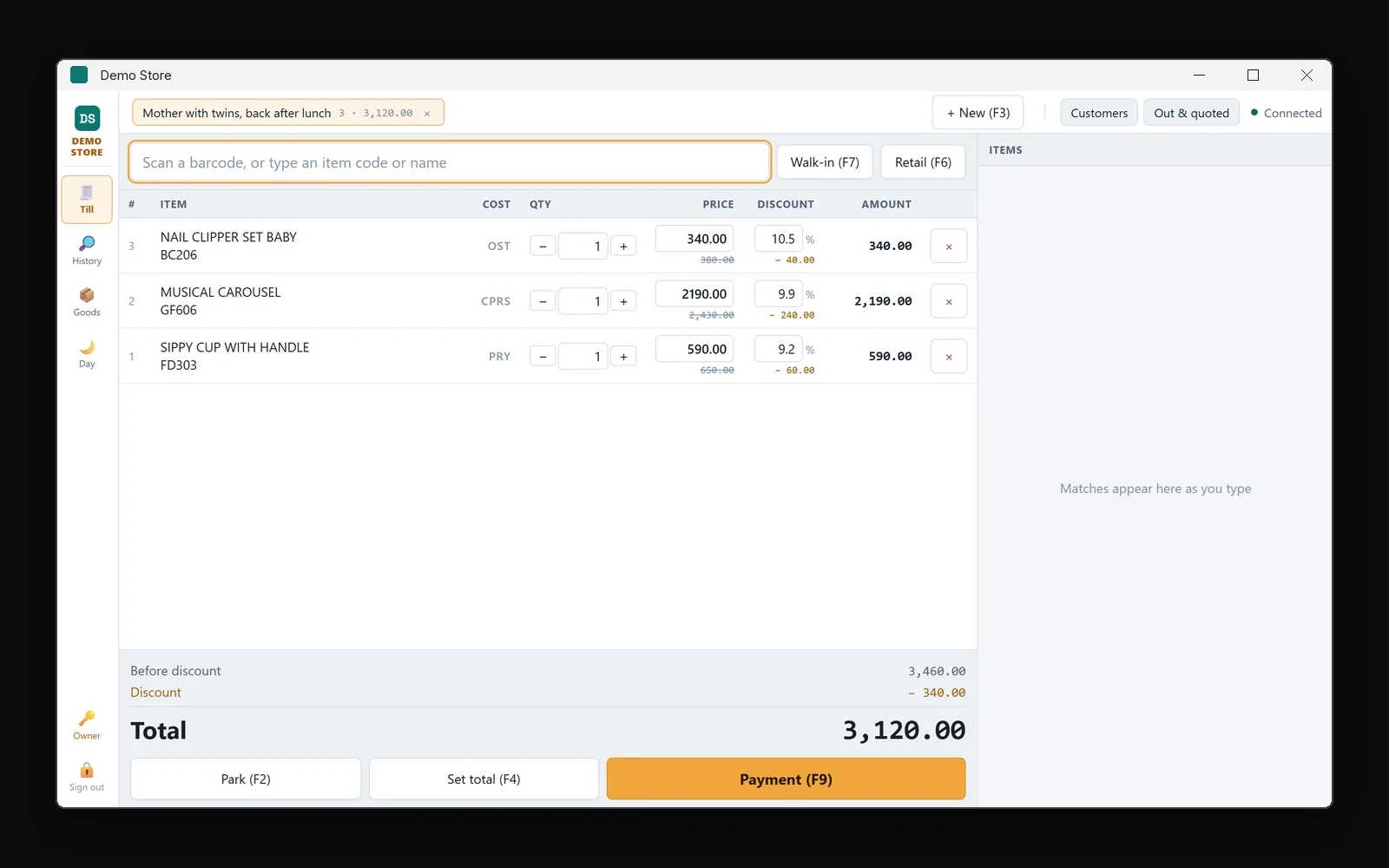
A retail counter that keeps selling offline.
A Windows application on the shop's own PC for a toy and baby goods shop: billing at the counter, goods received from suppliers, shelf labels, customer accounts and a cash count at the end of every day.
- Scan or type, quantity, Enter: a whole bill without the mouse
- Retail and trade prices on the same item, switched per customer
- Cost shown in a letter code only the staff can read
- Receipt printer, label printer and cash drawer driven directly
- The drawer counted note by note against what the books expect
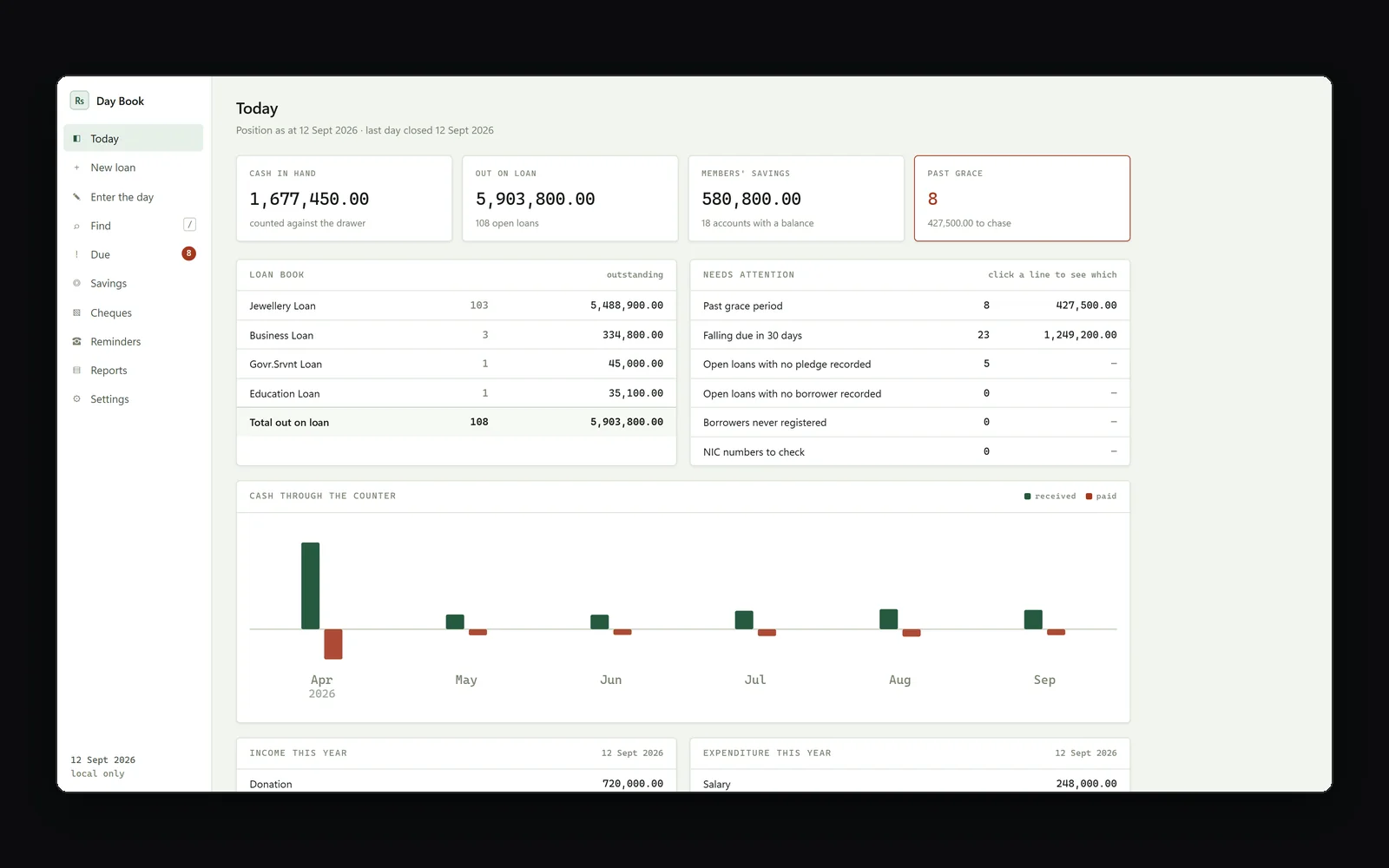
A day book that balances before it closes.
For a community welfare fund: jewellery, education and business loans, members' savings and the daily cash book, posted underneath as real double entry.
- Loans capped by the product's rules and by the value of the pledge
- A day will not post until the closing cash matches the book
- Past-grace and falling-due lists, ready for a phone call
- Savings passbooks, cheques and bank movements in the same ledger
- Runs on the office computer and takes its own backup every day
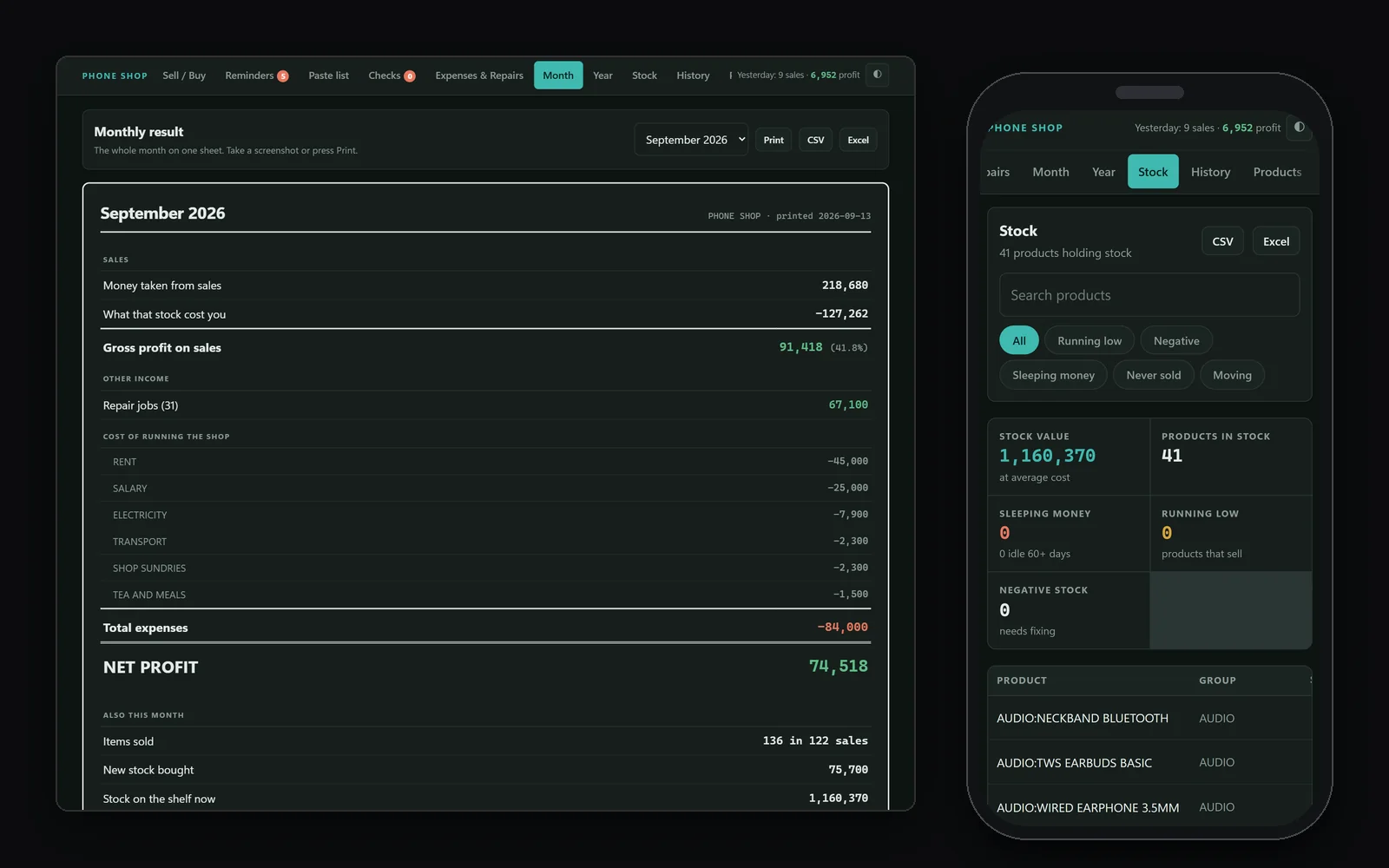
Stock and profit for a phone shop.
Phones, accessories and repairs. Every sale and purchase is typed once at the counter, and the month's profit works itself out.
- Sell and buy from one screen, with the profit on each line
- Repair income and running costs kept apart from stock
- Month and year results, best sellers and where the money went
- Stock filters for running low, negative, idle and never sold
- Opens from a desktop icon and adapts to a phone screen
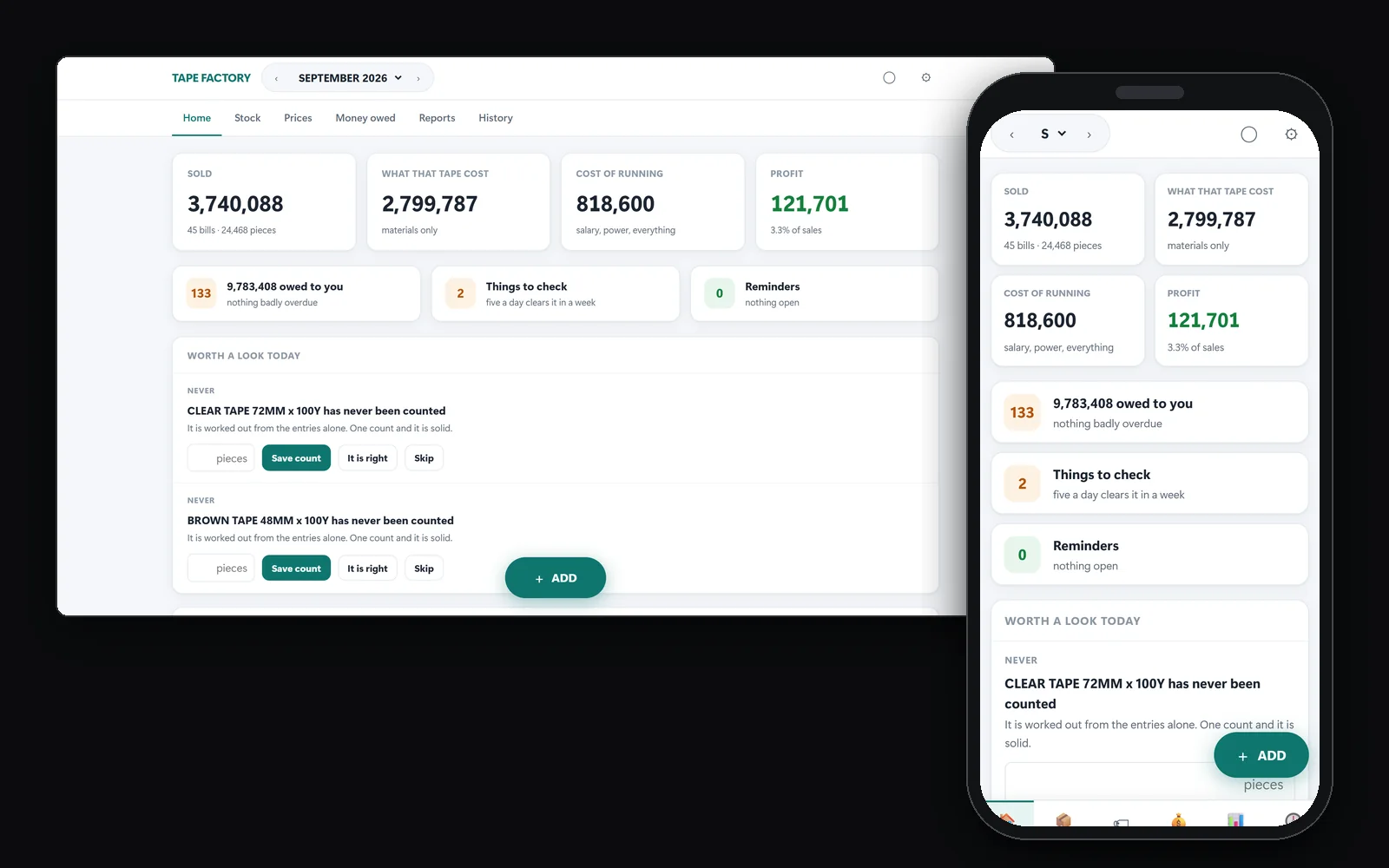
What every roll of tape really costs.
For a packing tape maker: film, paper cores and cartons go in, finished rolls come out, and every bill shows what it truly made after materials and the cost of running the factory.
- Recipes per product: grams of film, the core and the carton
- Running costs spread across the film that leaves as tape
- The lowest price you can accept, for every product
- Money owed, aged, oldest bills first
- A few stock checks a day instead of one painful yearly count
- On the office PC, and on a phone over the factory wifi
Software that lives where the work happens.
Works with the internet down
Everything runs on your own computers, so a dropped connection never stops a sale, a loan or a delivery.
Talks to your hardware
Thermal receipt printers, ZPL label printers, barcode scanners and cash drawers, driven directly rather than through a print dialog.
Fast to use
Keyboard-first screens with a shortcut on every common action, designed for staff who are not technical.
Want software like this for your business?
Tell us how the work is done today, on paper, in a spreadsheet or in software that no longer fits. We will say honestly whether a desktop system is the right answer.